Architects and Engineers...
Does Every Hour Your Team Works Show Up on the Right Project - Right Now?
Stop chasing time entries at the end of the month. BaseBuilders makes logging time so fast
and frictionless that your team actually does it — and your project financials stay current all the time.
Log time by project, phase, and activity in seconds — with smart auto-fill that gets faster every pay period
Every hour posts directly to your projects in real time — no batch uploads, no end-of-month scramble
See true net profit per project — including overhead — something QuickBooks and Xero simply can't do
Your Entire Team's Time, Organized in One Place
Every user has their own timesheet, not a disconnected spreadsheet
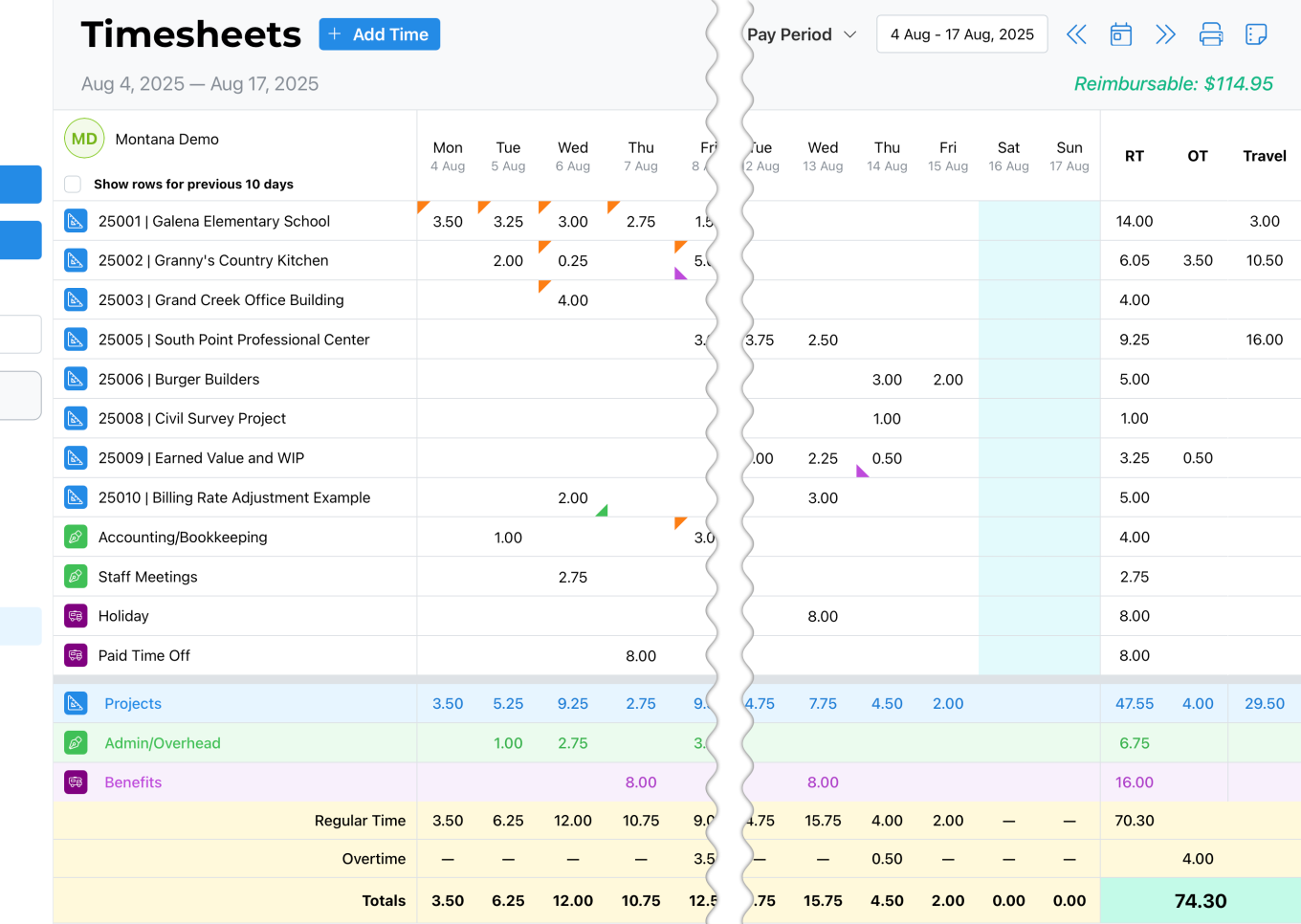
Time is entered by day and by project across a full pay period — with separate rows for project work, admin time, and benefits. Users can log multiple slips on the same project when they're working in different roles or switching activities.
Hover indicators on each cell give instant access to comments, expenses, overtime, and travel miles — without leaving the timesheet. Reimbursable expenses are captured right alongside time entries, so nothing gets chased down later.
The running reimbursable total prints on each timesheet, so you always know exactly how much to reimburse your staff.
Entry in Seconds. Gets Faster Every Pay Period.
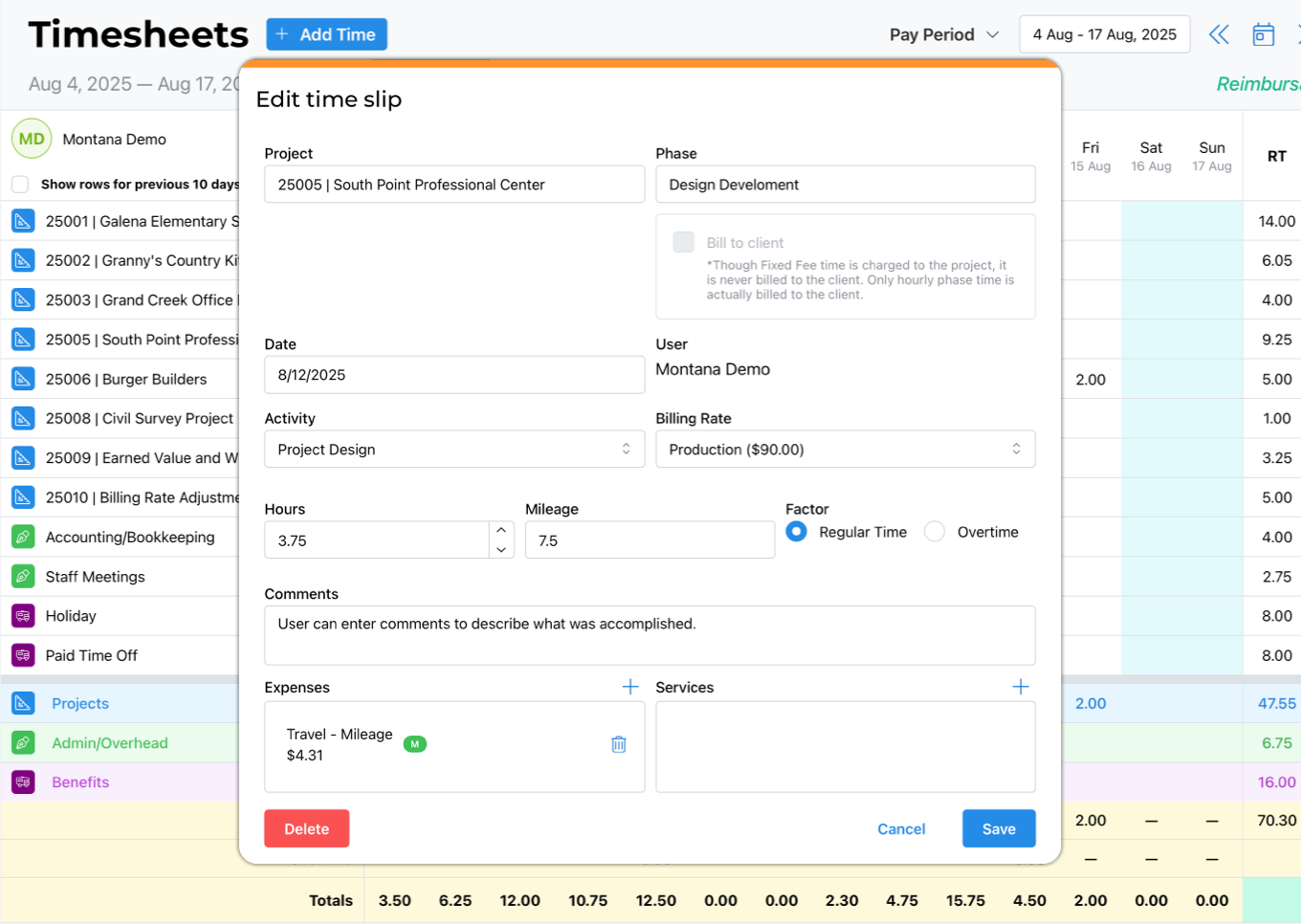
Click into any cell and start entering hours.
BaseBuilders automatically pre-populates the phase, activity, and billing rate from that user's last time slip for that project — so most days, all they're entering is their hours.
At the start of a new pay period, one click on "Show rows for previous 10 days" brings back every active project row — so nobody starts from scratch.
Each user can be assigned a default activity and default billing rate, and those carry forward automatically.
Time Hits Your Projects Structured — Not Raw
Half-empty time slips will never clutter your data
Every time slip is tied to a project, a phase, an activity code, and a billing rate the moment it's saved.
Activity codes are firm-defined — you set the categories that matter to your practice,
giving you a clear view of how time is actually being spent across projects.
giving you a clear view of how time is actually being spent across projects.
Fixed-fee phases are handled correctly: time is charged to your project for job costing purposes, but not billed to the client.
Financial values are visible only to users with financial access — everyone else just sees hours.
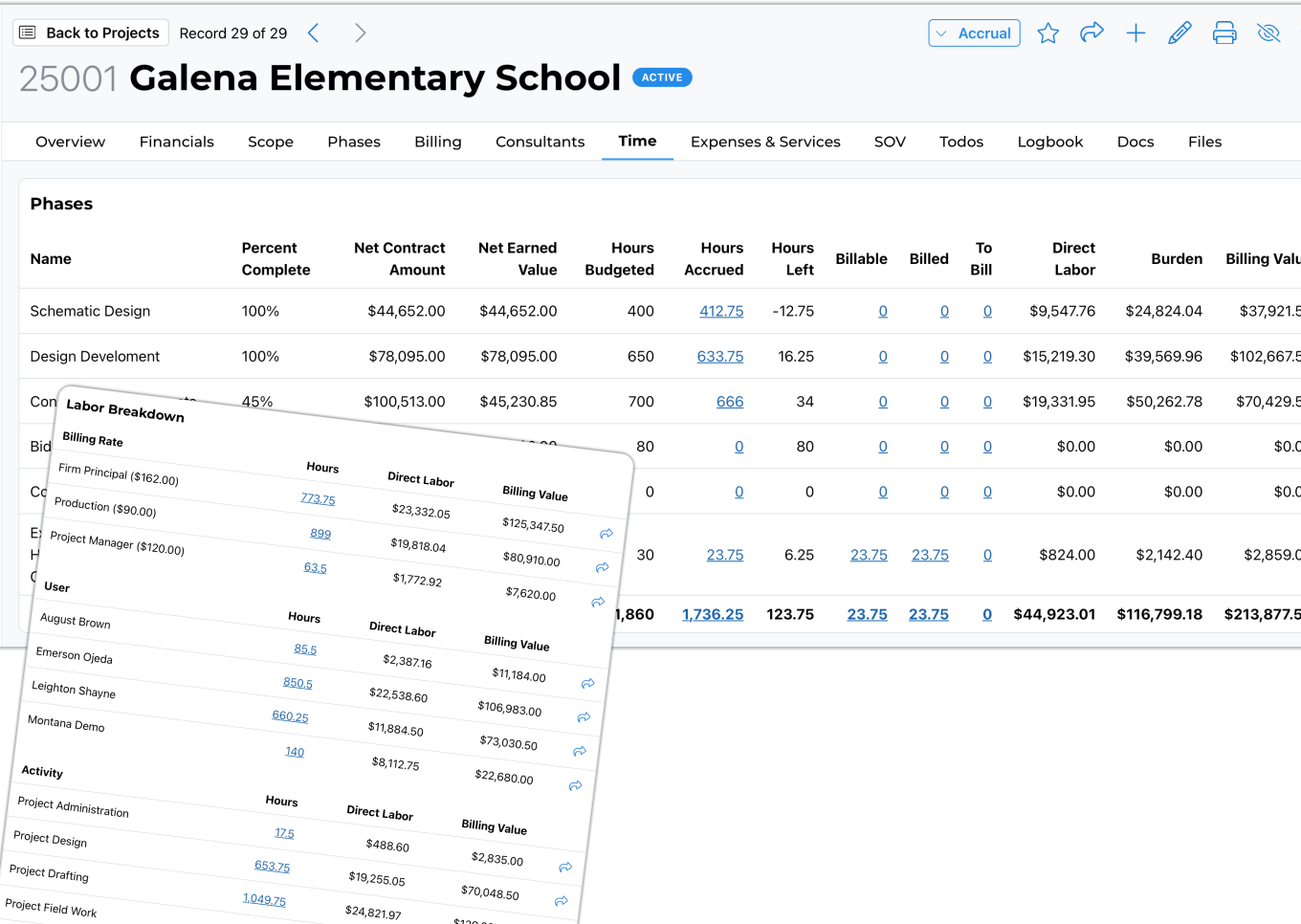
From any project's Time tab, you can see budgeted vs. accrued hours by phase, what's billable, what's been billed, and a full breakdown by billing rate, staff member, and activity.
One click takes you directly to the underlying time slips for any line.
The Financial Picture Your Accounting Software Can't Show You
This is where BaseBuilders is different.
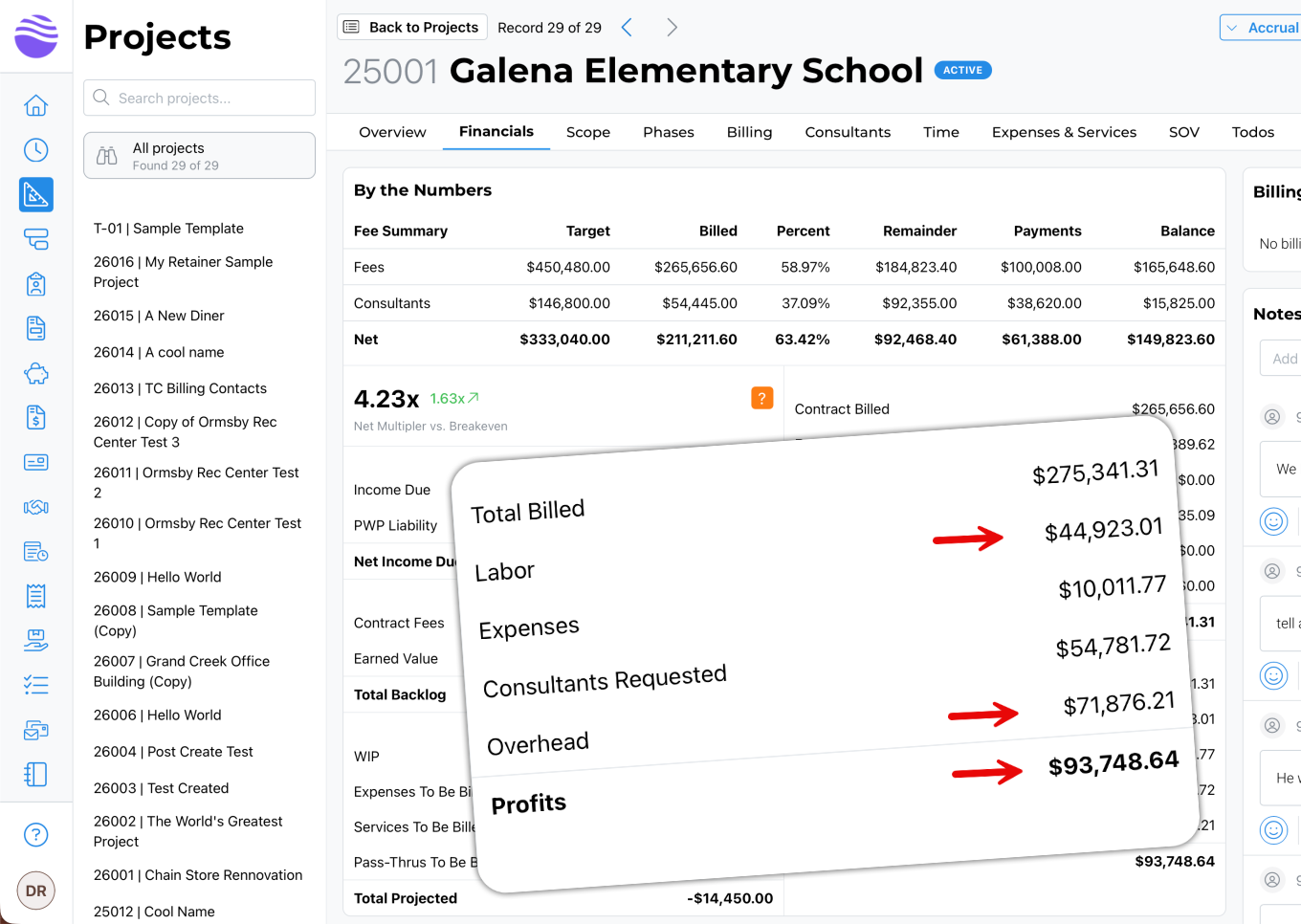
Most project management tools track your labor hours. Most accounting packages track your costs. Neither one calculates true net profit at the project level — because they have no way to allocate overhead on a project-by-project basis. BaseBuilders does.
Every project shows direct labor cost and overhead separately, so when you bring in your billings, you can see exactly what was billed, what labor cost, what overhead was incurred, what subconsultants were paid, and what your net profit actually is. You can run this report across your whole portfolio.
QuickBooks and Xero can't do this.
Most A/E software can't either.
Most A/E software can't either.
The Problem Isn't Time Tracking.
It's Time Tracking That Never Quite Closes the Loop.
Most A/E firms have some way to capture time. The problem is what happens — or doesn't happen — after:
Time gets entered in batches, days after the work is done
Phases, activities, and expenses end up tracked in different places
Billing day requires reconciling data that was never quite clean
Profitability is estimated, not calculated — because overhead never makes it into the math
What This Actually Changes
Before BaseBuilders
Time entered at end of week or month — already stale
Roles, activities, and expenses tracked separately
Billing requires chasing PMs and fixing entries
Net profit is a guess — overhead never allocated
After BaseBuilders 🚀
Time posted to projects as it happens — always current
Expenses and activities captured alongside every slip
Invoicing is a review step — the data is already clean
True net profit per project, including overhead, all the time
Consistent time entry isn't a discipline problem. It's a design problem. When the system is fast, smart, and forgiving, people use it every day — and your numbers take care of themselves.
Get Fully Onboarded in 7 Business Days
Our team is ready to guide you from where you are to where you want to be. Give up managerial minutia for the freedom to focus on the work you do best.


BaseBuilders’ easy-to-use software is specifically designed to help small to mid-sized firms track time, manage projects, stay on top of expenses, and more. We’ll handle the invoicing for you so you can focus on growing your firm and designing wonderful spaces.
Company
© 2002-2026 | Base Builders, LLC. | All rights reserved.